Introduction
Have you ever heard of “Mercari”(メルカリ)? It is the largest flea market app in Japan and a “holy grail” for those who want to save money smartly. It is not uncommon to find strollers, high chairs, and designer baby clothes at less than half their original retail price.
However, many expats feel hesitant due to the Japanese-only interface and the need to communicate with individual sellers. In this article, we will guide you through everything from creating an account to making your first purchase with a simple, step-by-step tutorial.
Preparation
Before you start using Mercari, please have the following three items ready:
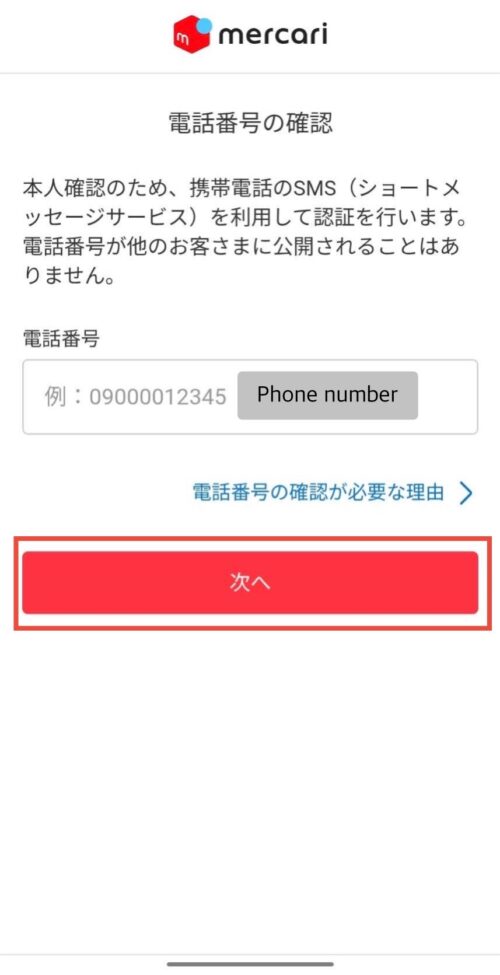
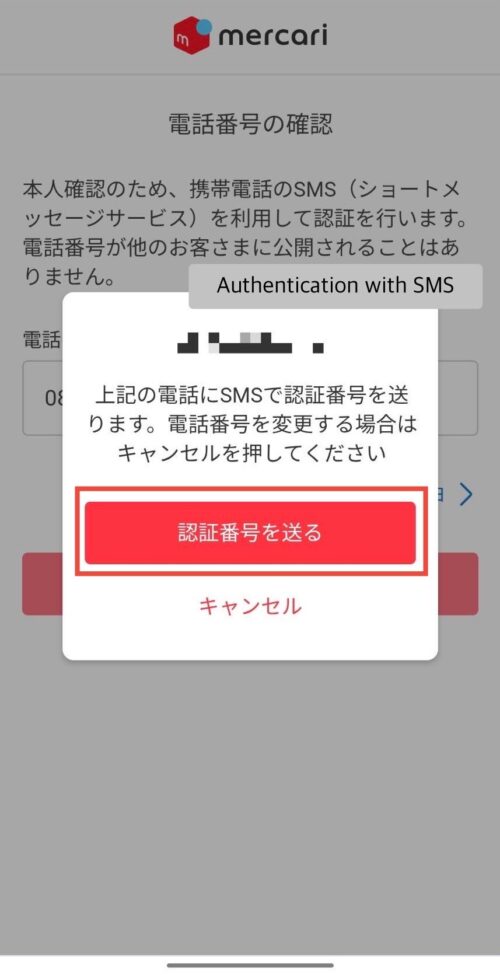
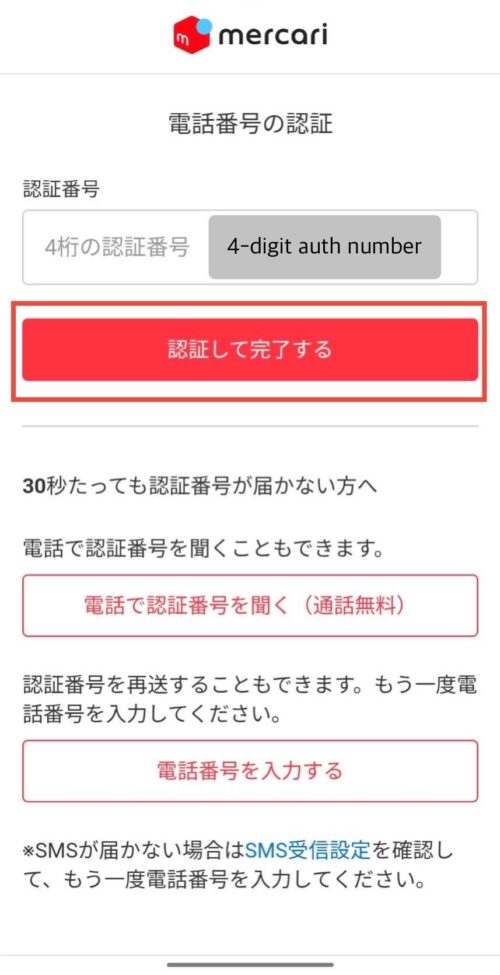
- A Japanese mobile phone number: Required for SMS authentication.
- An email address: Necessary for notifications and logging in.
- A credit card: While various payment methods are available, using a credit card is the simplest and recommended as it incurs no transaction fees. Apple Pay and Google Pay are also supported.
Account Setup & Purchase Steps
Step 1: Install the App and Register
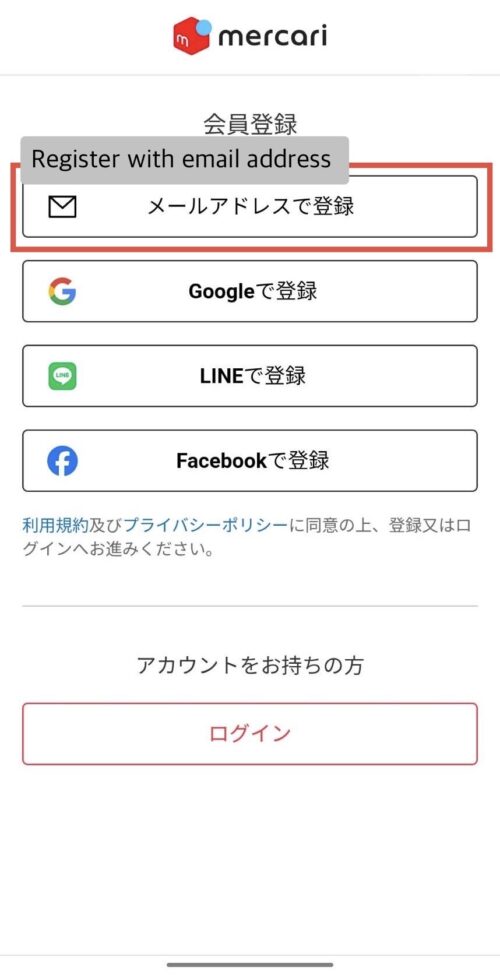
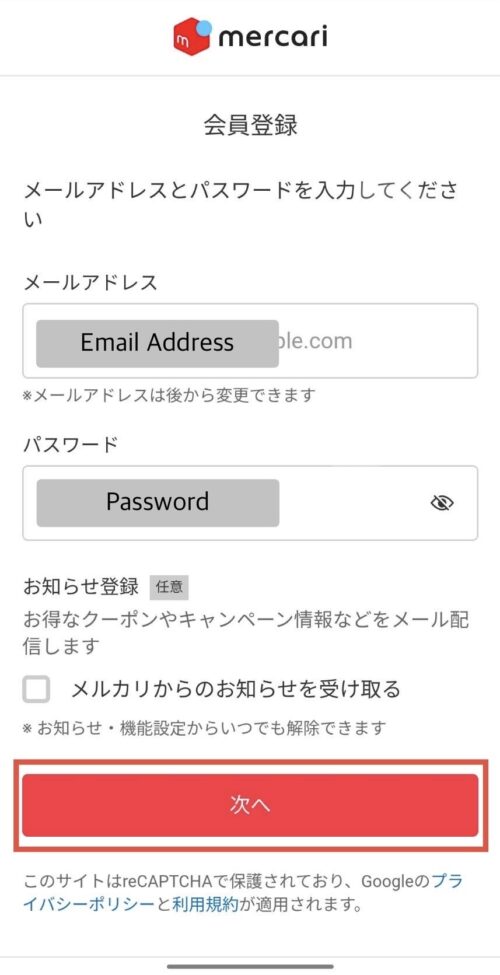
- Download the App: Search for “Mercari” in the App Store or Play Store and install it.
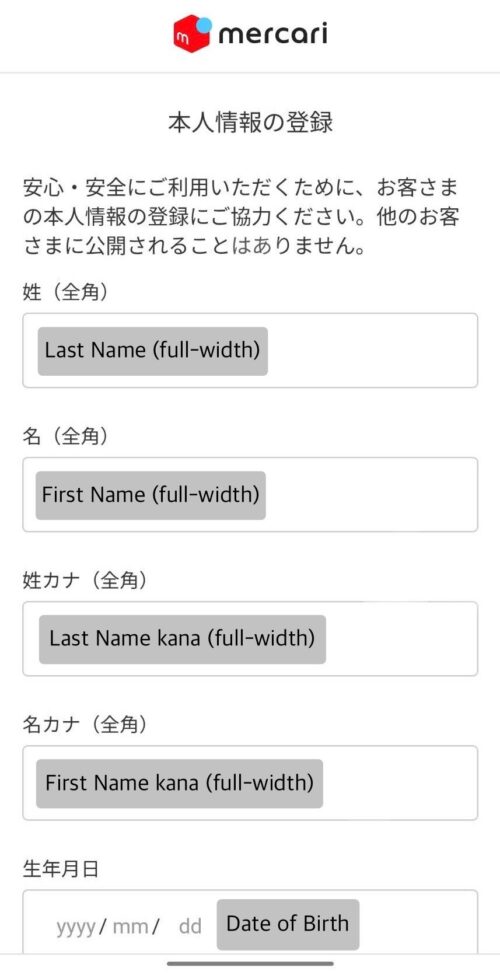
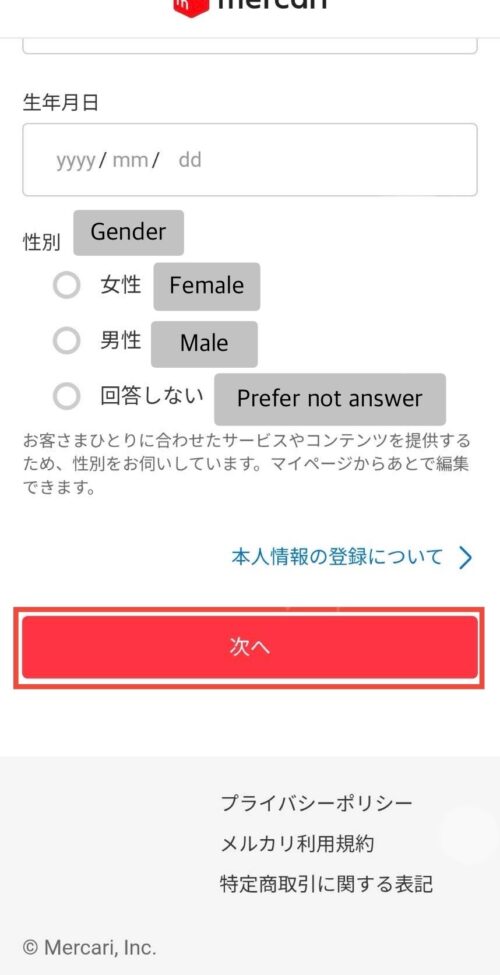
- Sign Up: Follow the on-screen instructions to enter your details.
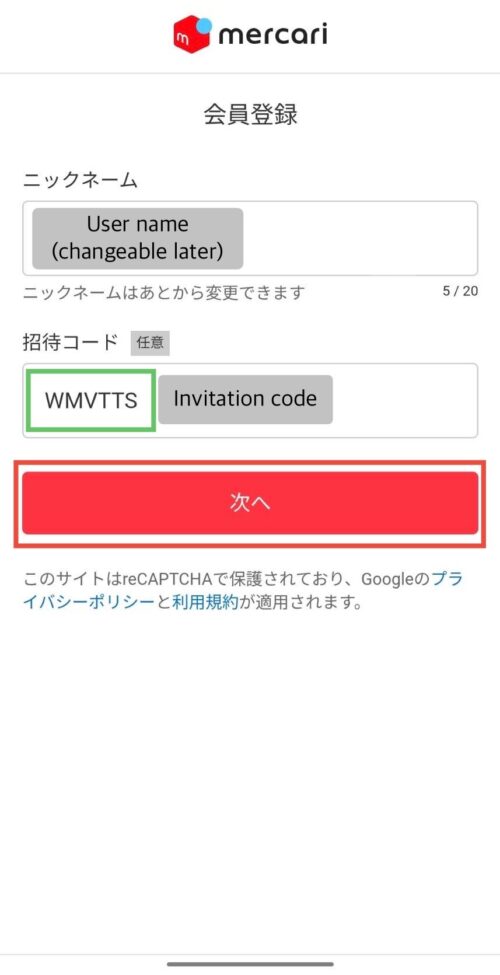
- Crucial Step – Enter an Invitation Code: At the end of the registration screen, there is a field for an “Invitation Code.”
- Invitation Code: WMVTTS
- By simply entering this code, you will instantly receive 500 points (worth 500 yen) or more depending on current campaigns. This effectively gives you a 500 yen discount on your first purchase, so don’t miss out!
Step 2: Finding what you need
Try copying and pasting these keywords into the search bar:
- Diapers (unused): おむつ (未使用)
- Baby bed: ベビーベッド
- Newborn clothes: 新生児 服
- Toys: おもちゃ
- Stroller: ベビーカー
Step 3: Purchase and Deliveryding what you need
Confirm Shipping Address: Double-check that your address is correct before finalizing the purchase.
Tap the “Buy Now” (購入へ) button on the product page.
Step 4: Rating and Completing the Transaction
Once the item arrives, check the contents and tap the “Rate Seller” (評価する) button. This releases the payment to the seller. For the comment, a simple “ありがとうございました (Thank you very much)” is more than enough.
Summary
By mastering Mercari, you can dramatically reduce the cost of parenting in Japan. Why not start by using the points from the invitation code to buy a small toy or outfit for your child?
Check the Invitation Code again: WMVTTS
